How it works
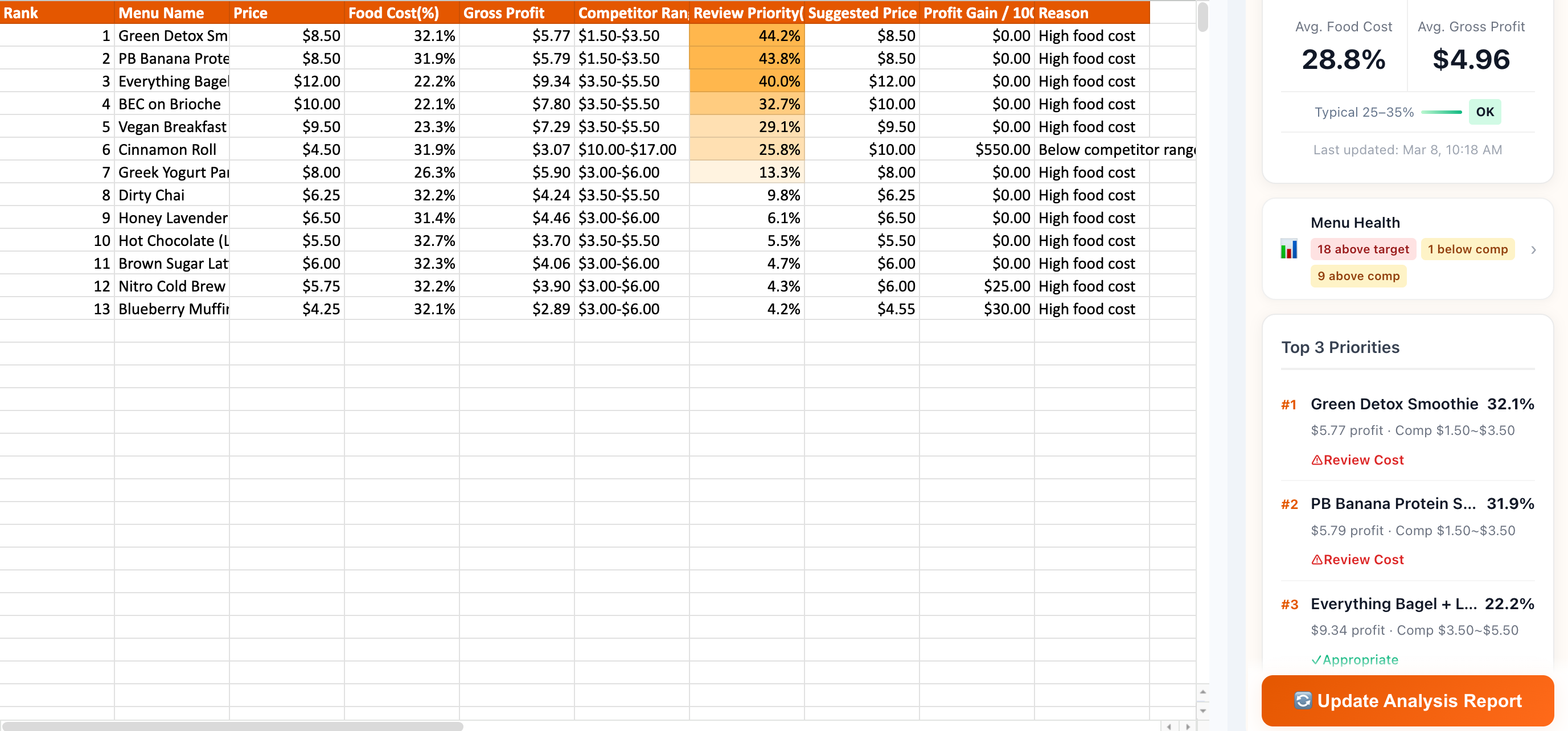
From install to insights in under a minute
1
1 click
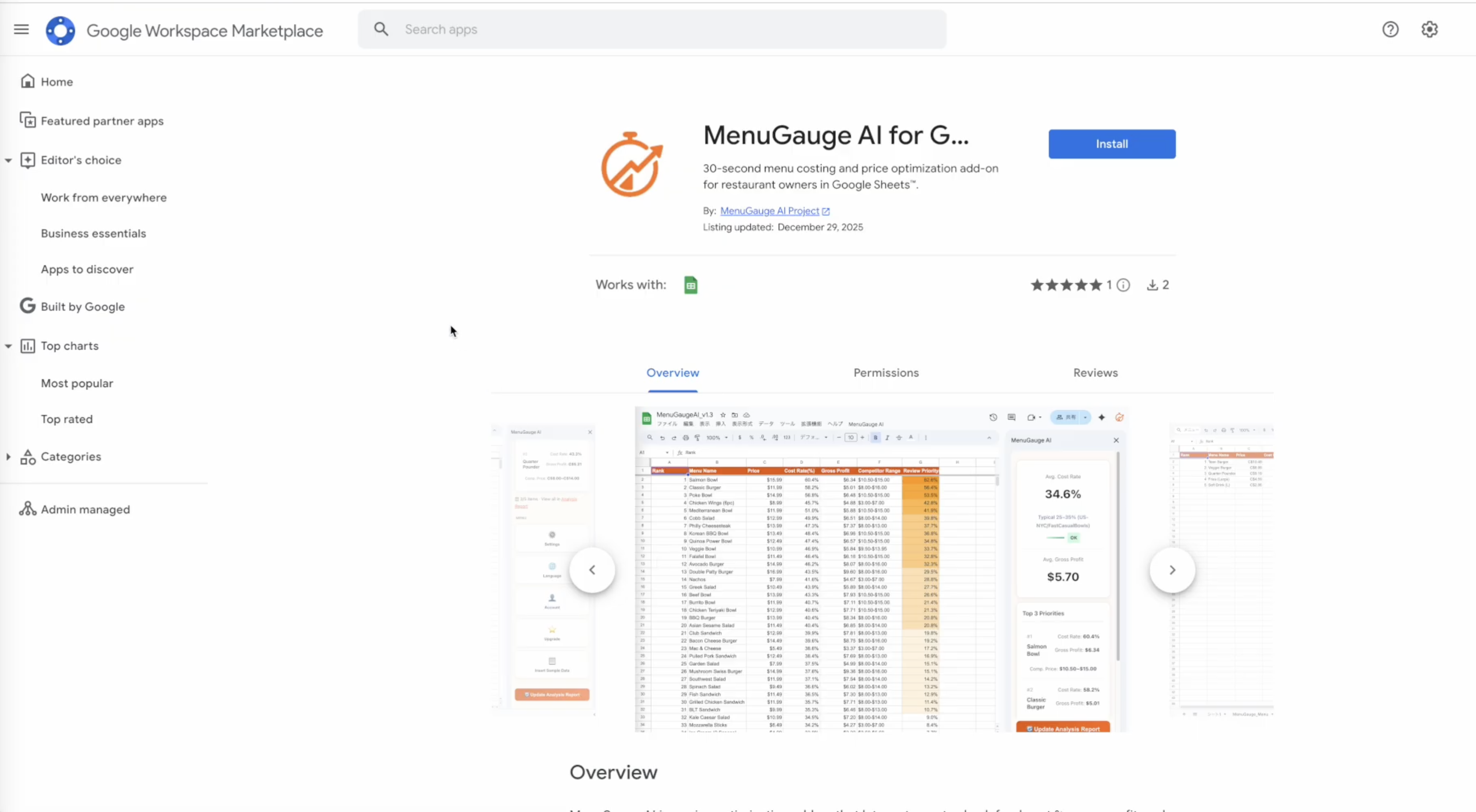
Install from Google Marketplace
One click to add MenuGauge AI to your Google Sheets. No account creation needed—use your existing Google account.
2
1 click
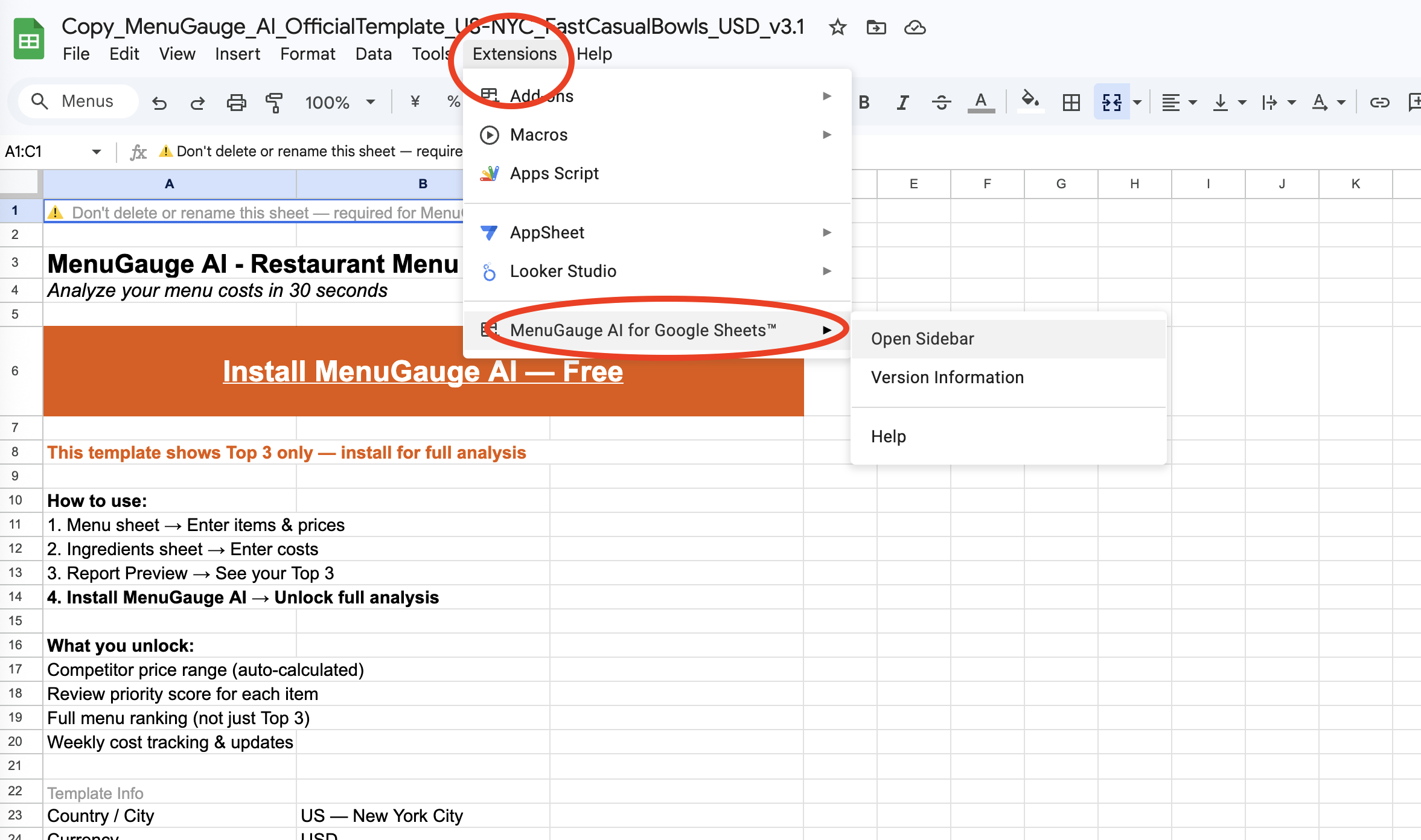
Open the Sidebar
In Google Sheets, go to Extensions → MenuGauge AI → Open sidebar. The Quick Start screen appears automatically on first launch.
3
1 click
Click Quick Start
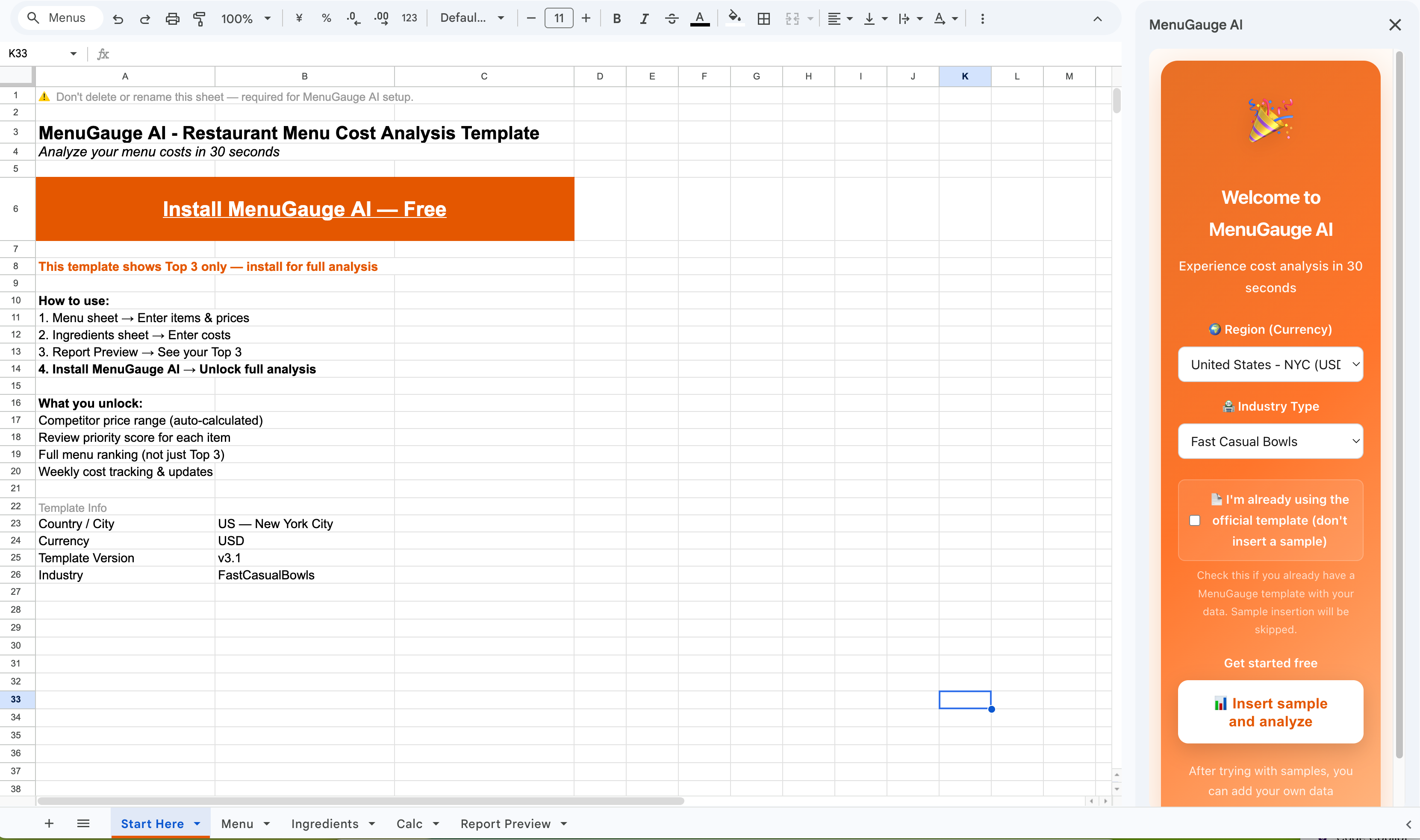
New here? Click Insert sample & analyze.
Using the official template? Click Analyze from template — won't overwrite your data.